Buying GuideGuide
How to Compare Laptops: Reading a Spec Sheet Properly
Two laptops with the same headline processor and price can be very different machines. Comparing them well means knowing which six lines of the spec sheet decide your experience and which twenty are there to fill the page.
Quick answer
Compare laptops on six things in this order: the processor's generation and power class (not just its name), 16 GB of RAM as a floor for anything beyond light use, at least 512 GB SSD, the screen's resolution and panel type, the weight you will carry, and the ports you actually plug things into. Everything else is a tie-breaker.
On this page
Start with what you do, not what is on sale
Write down the three things you will do most on the laptop and the one heaviest thing you will do occasionally. Browsing, documents and video calls need very little; photo editing, large spreadsheets and coding want more memory; video editing and games want a discrete graphics chip and a fast screen. That list decides which specs you weigh and which you ignore, and it stops the comparison drifting toward whichever machine has the biggest number in the advert.
The six specs that decide the experience
- Processor generation and class. The brand tier (a 5, a 7, an Ultra, a Pro) tells you less than the generation and the power class. A current mid-tier chip usually beats a two-year-old high-tier one, and a low-power U-class chip in a thin laptop will be quieter but slower under sustained load than an H-class chip in a thicker one. Look up the exact model number.
- Memory. 8 GB is enough for browsing and documents, 16 GB is the sensible floor for anyone who keeps many tabs and apps open, 32 GB for video, large data or virtual machines. Check whether the memory is soldered; if it is, buy the amount you will want in year four.
- Storage. 256 GB fills quickly; 512 GB is the comfortable minimum; 1 TB if you keep photos or games locally. All current laptops use SSDs, so the brand and interface matter far less than the capacity.
- Screen. Resolution (1920 x 1080 is fine up to 15.6 inches), panel type (IPS or OLED for good viewing angles and colour; avoid cheap TN panels), brightness (300 nits or more if you work near windows) and finish (matte for offices, glossy for media).
- Weight and size. Anything you carry daily should be under about 1.5 kg. See the size guide for the trade-offs.
- Ports. Count what you plug in: HDMI for a TV or monitor, USB-A for older accessories, USB-C with charging and video, a card reader if you shoot photos. Adapters work but get lost.
A worked comparison
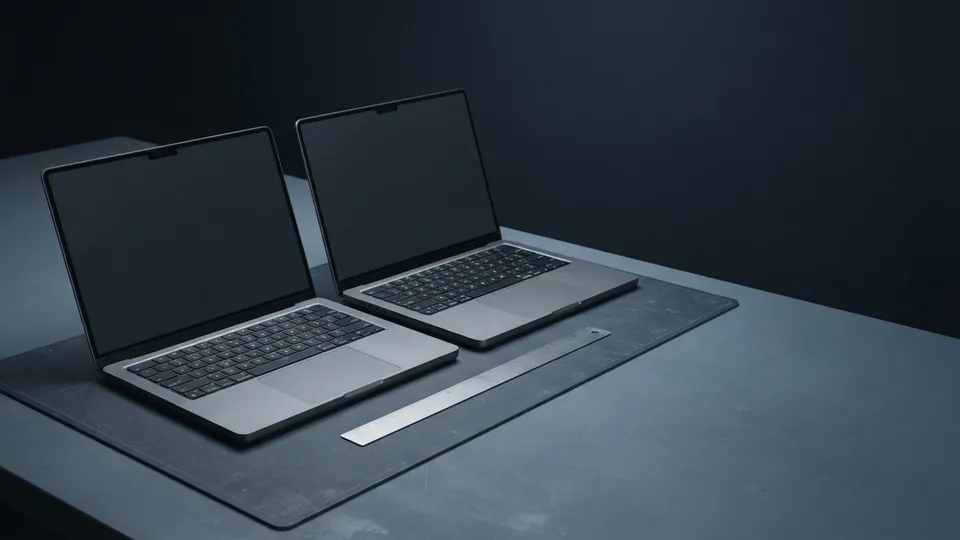
| Spec | Laptop A (thin 14 inch) | Laptop B (15.6 inch all-rounder) | Who wins |
|---|---|---|---|
| Processor | Current gen, low-power U-class | Previous gen, H-class | A for quiet portability, B for sustained heavy work |
| Memory | 16 GB soldered | 16 GB, one slot free | B if you may upgrade later |
| Storage | 512 GB SSD | 512 GB SSD | Tie |
| Screen | 14 inch 1920 x 1200 IPS, 400 nits, matte | 15.6 inch 1920 x 1080 IPS, 250 nits, glossy | A: brighter, better aspect ratio |
| Weight | 1.2 kg | 1.9 kg | A |
| Ports | 2 x USB-C, 1 x USB-A, headphone | HDMI, 2 x USB-A, 1 x USB-C, card reader, Ethernet | B: no adapters needed |
| Battery (real use) | About 9 hours | About 5 hours | A |
| Price | Higher | Lower | B |
Specs that are mostly noise
- Processor tier names without a generation. A 7 from four years ago is slower than a 5 from this year.
- Storage brand or the phrase performance SSD. Any current SSD is fast enough to feel identical in daily use.
- Speaker counts, fingerprint readers and webcam megapixels. Nice, but they should not swing the decision.
- Refresh rates above 60 Hz unless you play games. Smooth, but they cost battery.
- Gigabytes of graphics memory on a laptop that does not have a discrete graphics chip; integrated graphics share system memory.
Keyboard, touchpad and the things you cannot see on a spec sheet
The old question of whether to buy a laptop with a touchpad or without one has resolved itself: all of them have one now, but quality varies enormously. A glass touchpad with precise drivers changes how a laptop feels; a small plastic one with a stiff click makes you reach for a mouse. Keyboard travel, layout (is the right Shift key full size, are the arrow keys usable, is there a number pad you did or did not want) and fan noise under load are the things that decide whether you like a machine after a month. Read or watch a hands-on review for those, and if you can, type on the display model for two minutes.
This method is the starting point of the laptop buying guide. Once you can read a spec sheet, apply it to the choice between 13, 14, 15 and 17 inch laptops and to the separate trade-offs in the gaming laptop buying guide. If you plan to run AI writing tools on the machine itself, memory size and bandwidth become the lines that matter most, as the guide to laptop specs for local AI models explains.
Common questions
What is the most important spec when comparing laptops?
For most people, memory and screen quality decide daily comfort more than the processor does, provided the processor is a current generation. For heavy work, the processor's power class and cooling matter most.
Is 8 GB of RAM enough in 2026?
For browsing, documents and video calls, yes. For anything more, or for a laptop you want to keep four years, choose 16 GB, especially if the memory is soldered.
Are more expensive laptops faster?
Not necessarily. Price buys thinner cases, better screens, better build and lighter weight as much as speed. A thicker mid-priced laptop often outperforms a thin premium one under sustained load.
Should I compare benchmark scores?
Yes for the processor and graphics, as a sanity check on marketing names. Do not let a 10 percent benchmark gap outweigh a screen, keyboard or weight difference you will notice every day.
How do I compare two specific models quickly?
Fill in the six-row table above for both, mark a winner per row based on your own use, and read one hands-on review of each for keyboard and noise.
Sources
- Intel: Core Ultra Processors Names and Numbers: processor tier, generation number and h, u, v mobile suffixes.
- Microsoft: Windows 11 Specs and System Requirements: minimum memory and storage requirements for current laptops.
- USB-IF: USB Charger (USB Power Delivery): charging over usb-c ports.
- VESA DisplayPort: DisplayPort over USB-C: usb-c ports that also carry video.